
What is the best till and booking system for a dive shop?
Dive shops usually buy a till and a booking system at different times, for different reasons. Then every evening someone matches the card machine, the cash drawer and the booking list, and chases the balances that slipped through. This guide sets out what to look for when the till and the bookings work as one, which card set-up suits a dive shop, how to handle cash and tabs, and how DiveOps does it. For the till on its own, see what dive shop POS software needs to do.
The short answer
The best dive shop till and booking system is one where the counter sees each diver's bookings, balance, rentals and tab together, takes one payment for all of it and posts every sale to the books. A till blind to bookings leaves someone reconciling by hand.
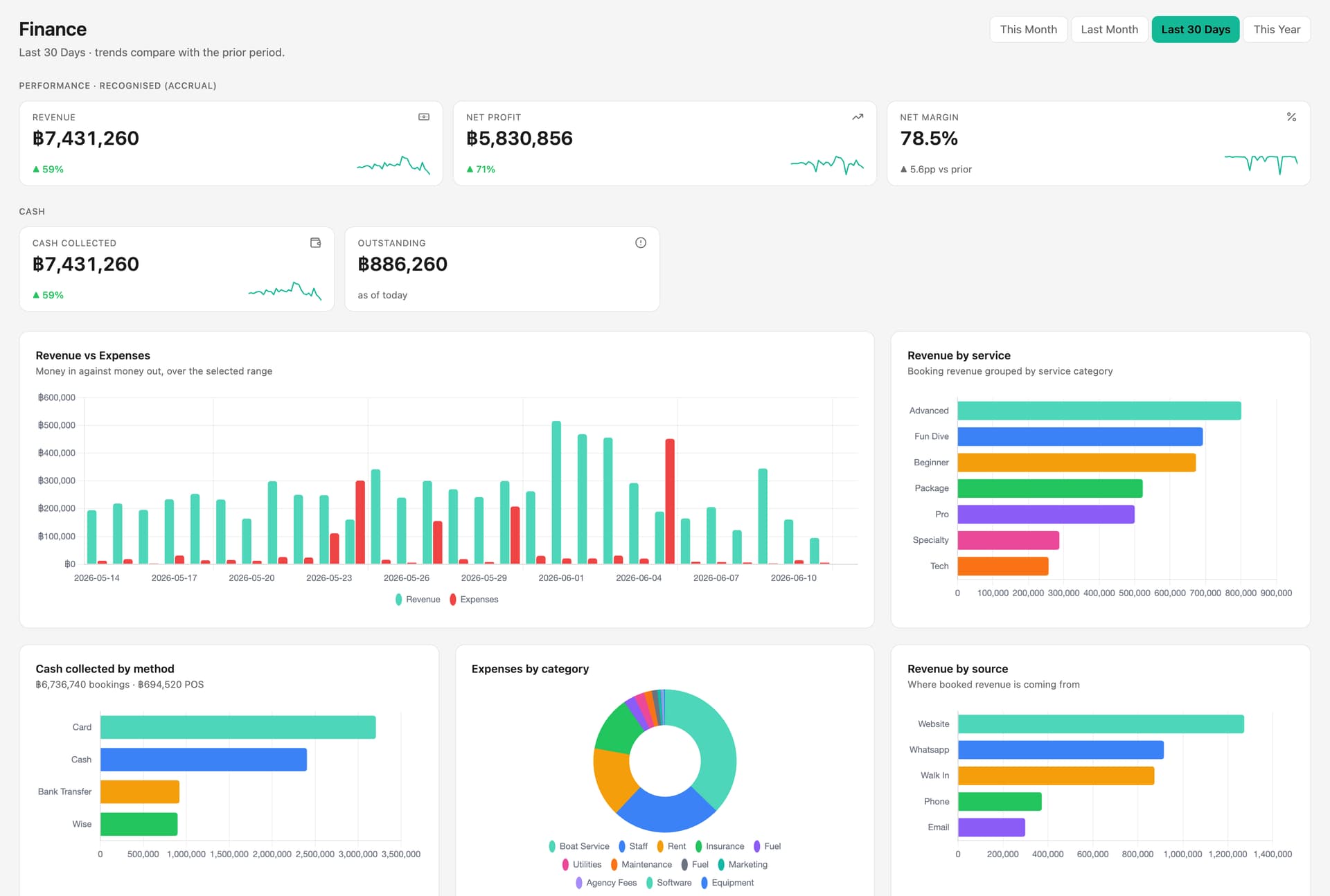
 (opens full size in a new tab)
The short version
- The counter should see a diver's bookings, balance, rentals and tab before it takes any money.
- One payment should be able to cover a booking balance and shop items, with a correct receipt.
- Card readers linked to the system put each payment on the right booking or sale.
- Cash needs a float, a count and an over or short figure every day.
- In DiveOps the till, bookings, rentals, servicing and books share one record.
What makes a till and booking system the best fit for a dive shop?
The best fit is the one that knows the person at the counter is also a diver on tomorrow's boat. A generic retail till is quick at scanning a barcode, but it cannot see that the same customer owes the balance on a course, has a wetsuit out until Friday and left a regulator for servicing.
Judge a system on three things. First, can the counter see everything a customer owes before taking payment? Second, can one payment cover a booking and a shop sale, with each recorded in the right place? Third, does every sale and refund reach the books without anyone typing it again?
Why do a separate till and booking system cause problems?
They cause problems because the same money is recorded in two places and nothing checks one against the other. A deposit paid online sits in the booking tool, the balance is taken on the card machine, and the mask goes through the till. At close, someone has to decide which payment belongs to which booking.
The usual results are balances never collected, deposits counted twice, refunds made on the wrong system, and retail commission tallied from memory. None of these are dramatic on a single day. Over a season they add up to real money and many evenings of admin.
What should the counter be able to do in one visit?
In one visit, the counter should be able to settle everything the diver owes and leave a clean record behind it.
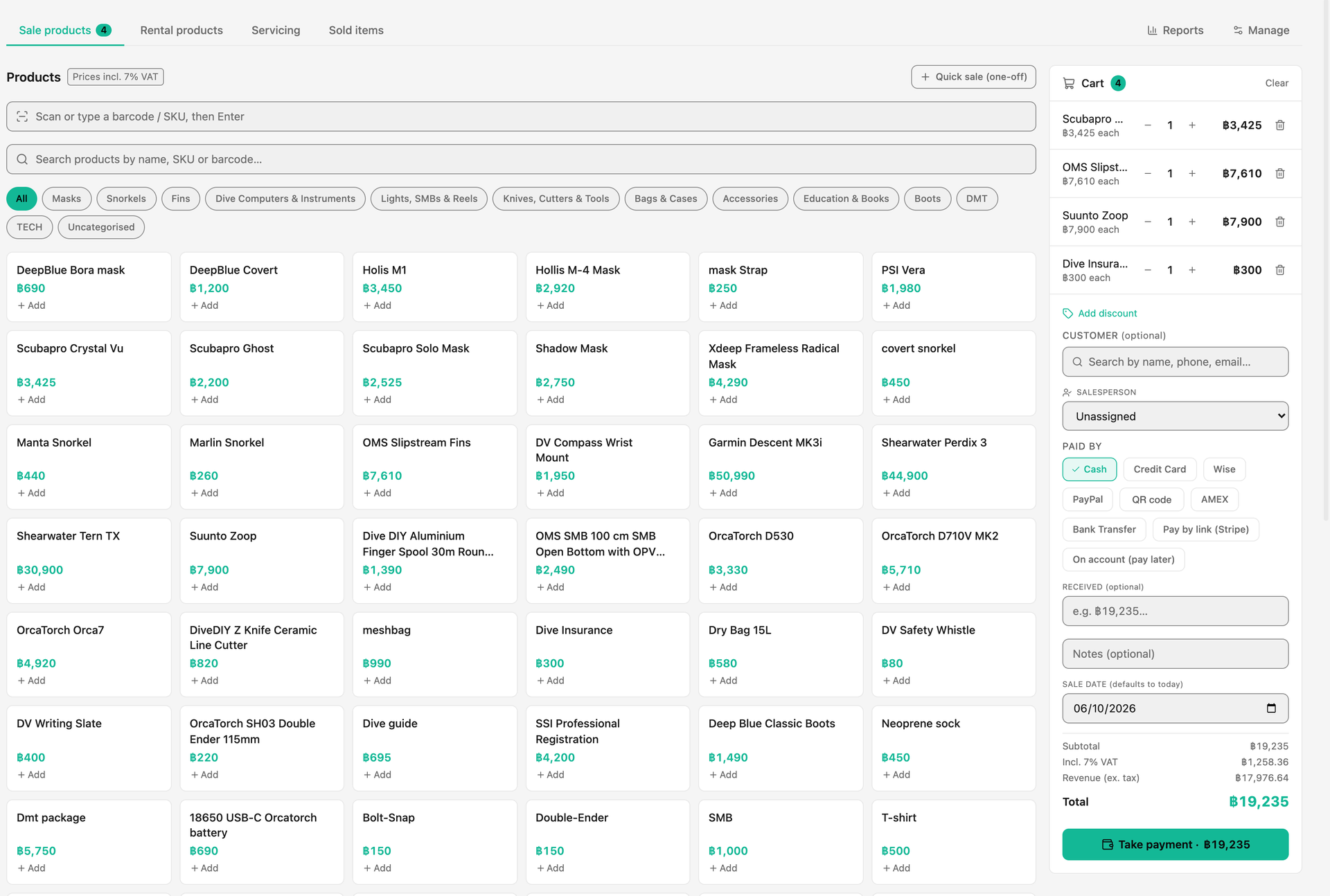
- Find the diver and see their bookings, what they have paid and what they still owe
- Add retail items, a rental with its deposit, or a nitrox fill
- Take one payment for a booking balance and shop items together
- Put items on a tab for staff, divemaster trainees and regulars who settle later
- Print or email one receipt, and a tax invoice when a customer needs one
- Credit the salesperson so retail commission reaches their pay
- Refund the right line, back to the card it came from
Which card payment set-up suits a dive shop?
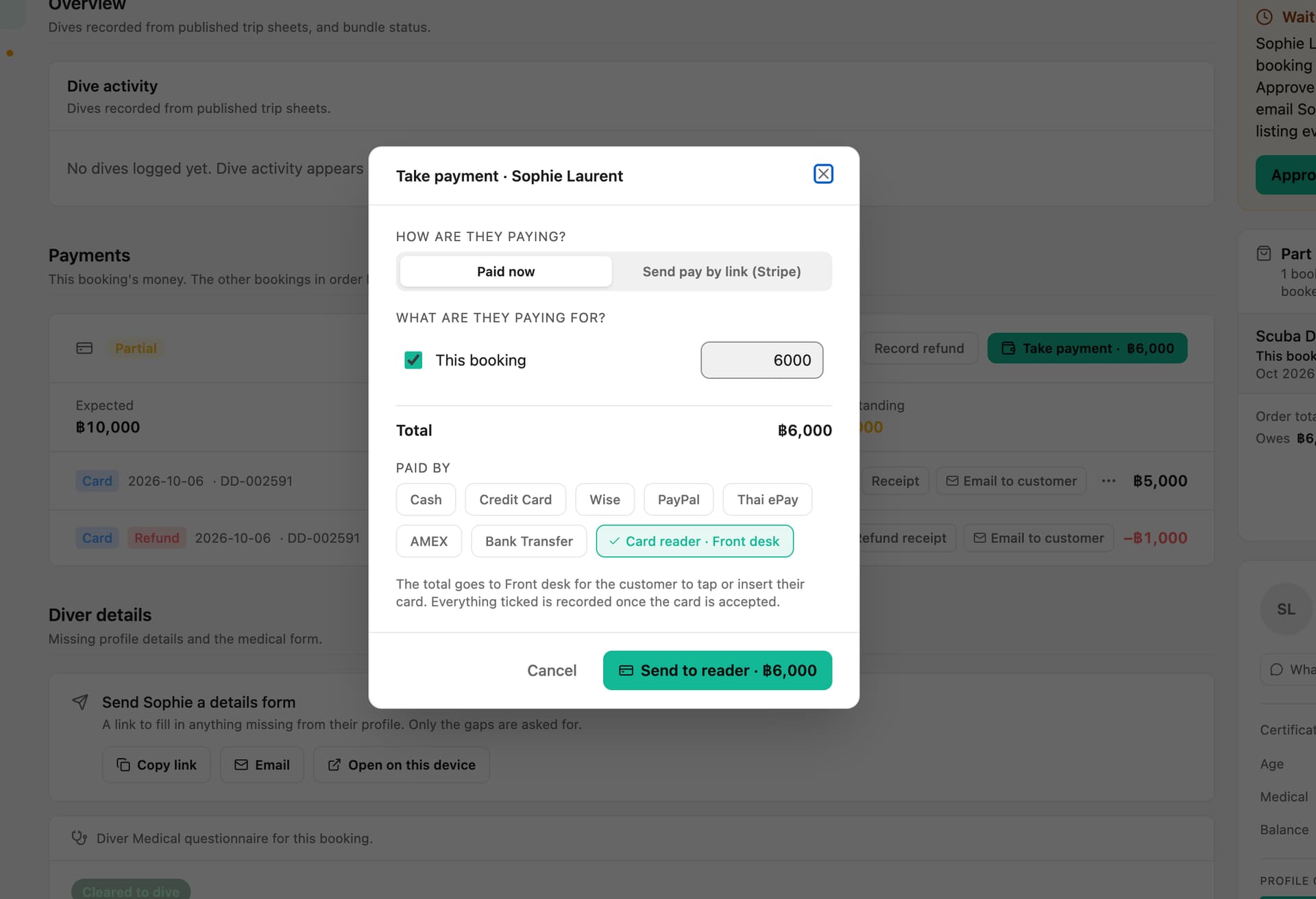
A card reader linked to your software suits a dive shop better than a standalone terminal. When the reader belongs to the system, each payment lands on the right booking or sale automatically, and a refund can go back to the same card from the same screen.
Ask who the merchant is. Payments should go to your own merchant account, not sit with the software company. Check the published processing rates against what your current terminal costs, include any monthly reader fees, and find out whether a card surcharge is allowed where you trade, because the rules differ by country.
How should cash, tabs and the drawer work?
Cash should be counted against what the system expects, every day. Open with a float, let the system add up cash sales, cash booking payments, rental deposits and cash expenses, then count at close and record whether you are balanced, over or short. A difference you see the same evening is easy to explain. One you find at month-end is not.
Tabs need an owner and a balance. Divemaster trainees and staff often buy through the week, so each tab should belong to a named person, show what is owed, and be settled by cash, card or a payment link.
What about tax and fiscal receipts?
Tax rules decide what your receipts must show, so check them before you buy. VAT-registered businesses need correct tax invoices on request, and some countries require a certified till security device: Germany is the best-known example. Ask any vendor which countries they support and how a refund is shown on a receipt. Our dive centre finance guide covers fiscal receipts across the EU in more detail.
How does DiveOps join the till and the bookings?
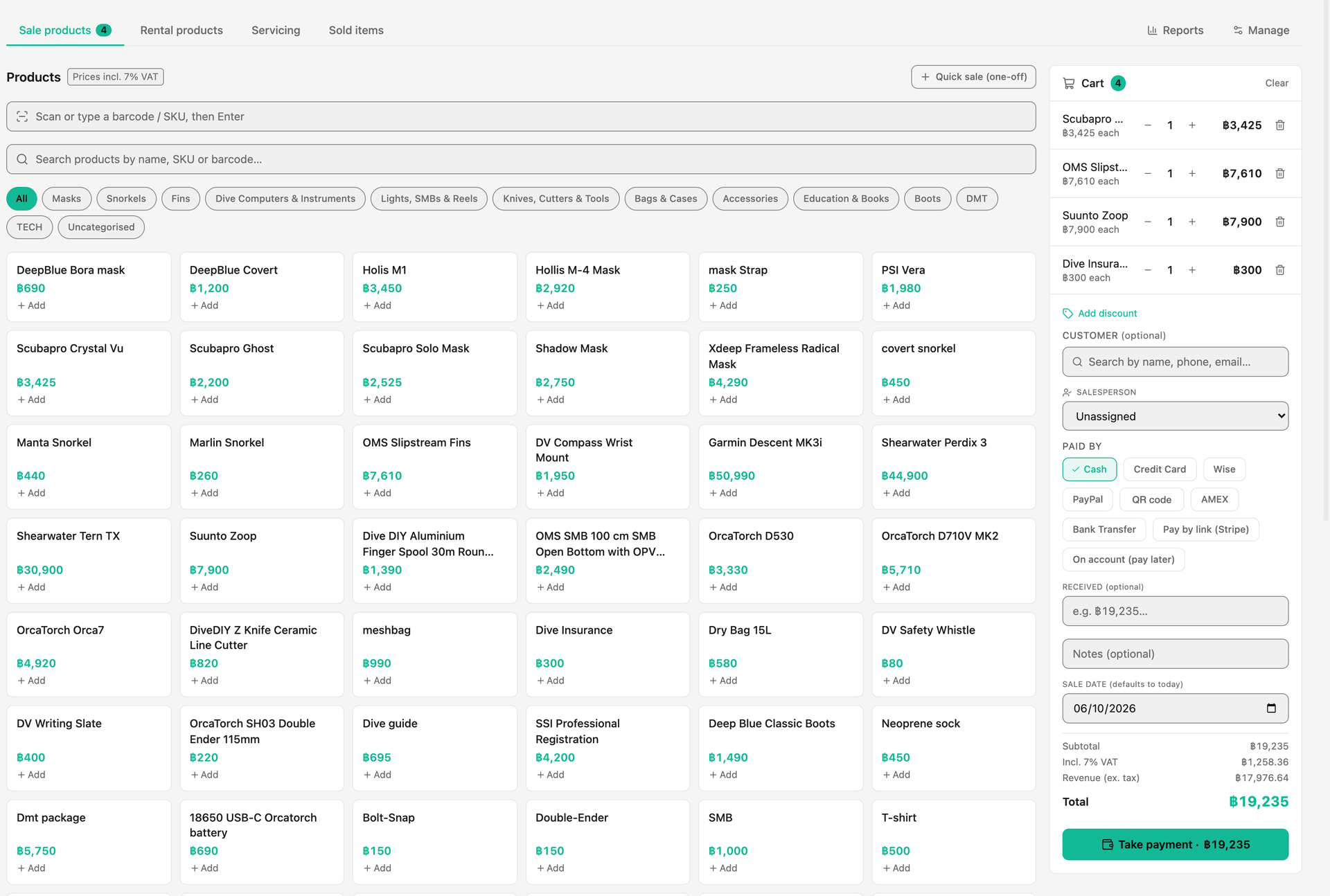
DiveOps puts the till, bookings, rentals and servicing in one login on one customer record. Take payment lets you tick what a customer is paying for, one or more bookings, their shop tab, or all of them, and take it in one go, with each booking and the tab getting its own payment record and receipt.
Rentals carry a rate per day, per dive or per week and a deposit, and show how many items are free for the dates you pick. Servicing runs as a paid job from check-in to collection. Sales can go on a tab, and where payment links are switched on, the tab can be paid from the customer's phone. Card readers from Stripe connect to the till, switched on with us centre by centre, and card fees can be up to 20% lower through your own Stripe account, never as a guarantee.
Every sale, refund and expense posts to double-entry books, the cash drawer shows over or short at close, and retail reports show margin, best sellers and what to reorder. The WhatsApp assistant quotes your rental prices from the same list.
Questions, answered.
Can I use my existing card machine with a dive shop system?
You can record its payments by hand, but a reader linked to the system is better: each payment lands on the right booking or sale, and refunds go back to the card from the same screen.
Can a diver pay for a course and shop items in one payment?
In DiveOps, yes. Take payment covers one or more bookings and the shop tab together, and each gets its own payment record.
Do rentals need their own system?
No. Rentals work best in the same till, so the deposit, the fee and any damage charge sit on the customer's record and in the books.
Which card readers work with DiveOps?
Stripe's S700, S710 and WisePOS E countertop readers, ordered inside DiveOps and switched on with us centre by centre.
See it run your dive centre.
A short live walkthrough on your real schedule. No slides, no sales patter.