
Every diver checked before they get wet.
The short answer
DiveOps keeps each diver's certification and medical on their profile and booking. Staff mark a certification card as checked, and DiveOps records who checked it and when. Divers fill in the medical form when they book; a paper form or a doctor's decision can be added to the booking it was given for.
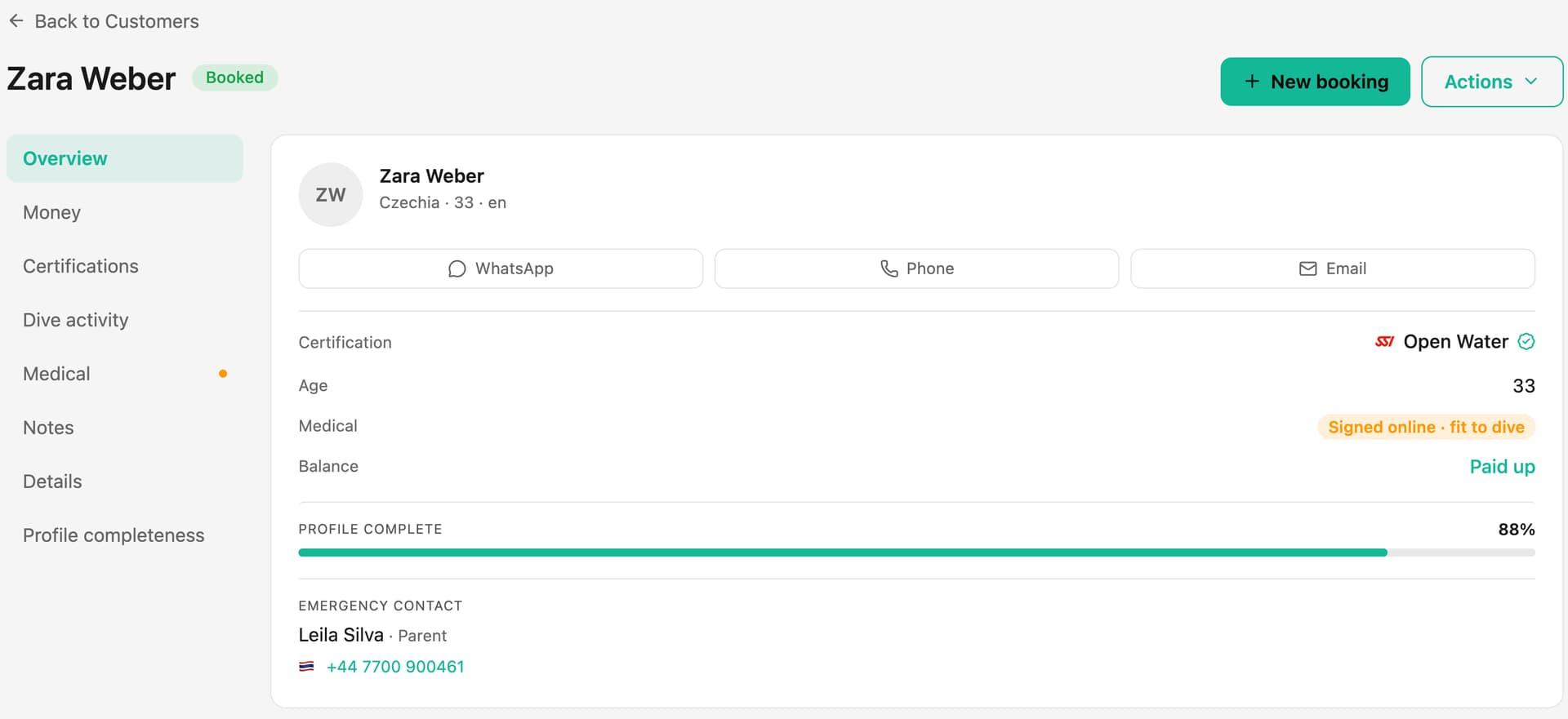
How do I check a certification?
Open the diver's profile, look at their card or photo of it, and mark it as checked. DiveOps stamps the check with your name and the date, so anyone on the team can see it was done, and by whom.
How do medicals work?
Divers answer the medical questions on their phone when they book, so it is done before they arrive. If they need a doctor's sign-off, upload the paper form or record the doctor's decision on the booking. The decision stays with the booking it was given for.
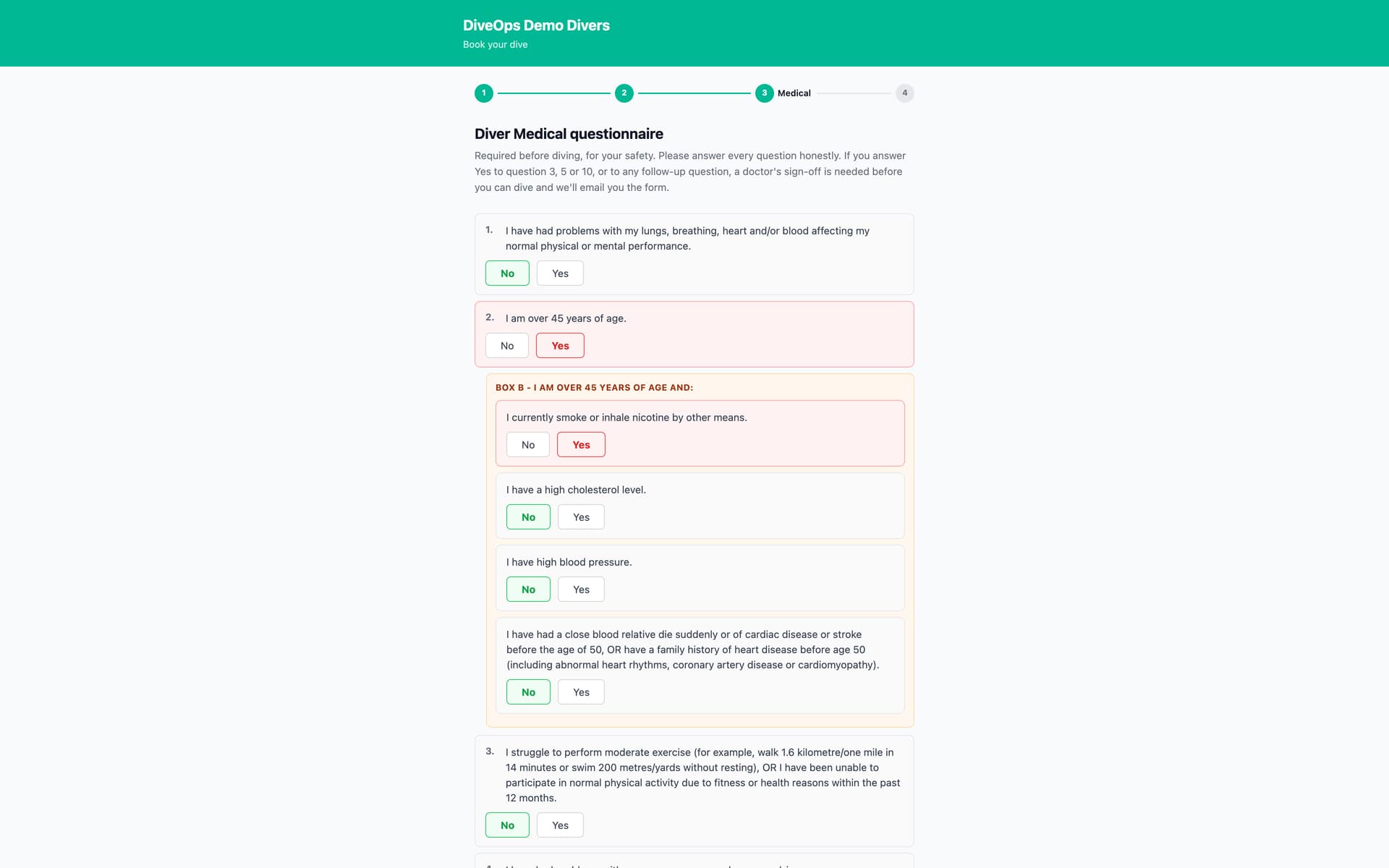
Where do I see who is not ready?
The overview flags divers who still need a medical or a doctor's sign-off, and the booking shows it at a glance before anyone is put on a boat.
Questions, answered.
Can a diver upload a photo of their card?
Yes. A card photo sits under Certifications on the diver's profile and opens full size.
Is a medical needed for every booking?
One medical form is kept per booking, so a diver returning months later answers again for the new trip.
Can staff fill in the form for a walk-in?
Yes. Staff can upload a paper form on the booking, and it counts as done.
See it run your dive centre.
A short live walkthrough on your real schedule. No slides, no sales patter.