
Paperwork done before they arrive.
The short answer
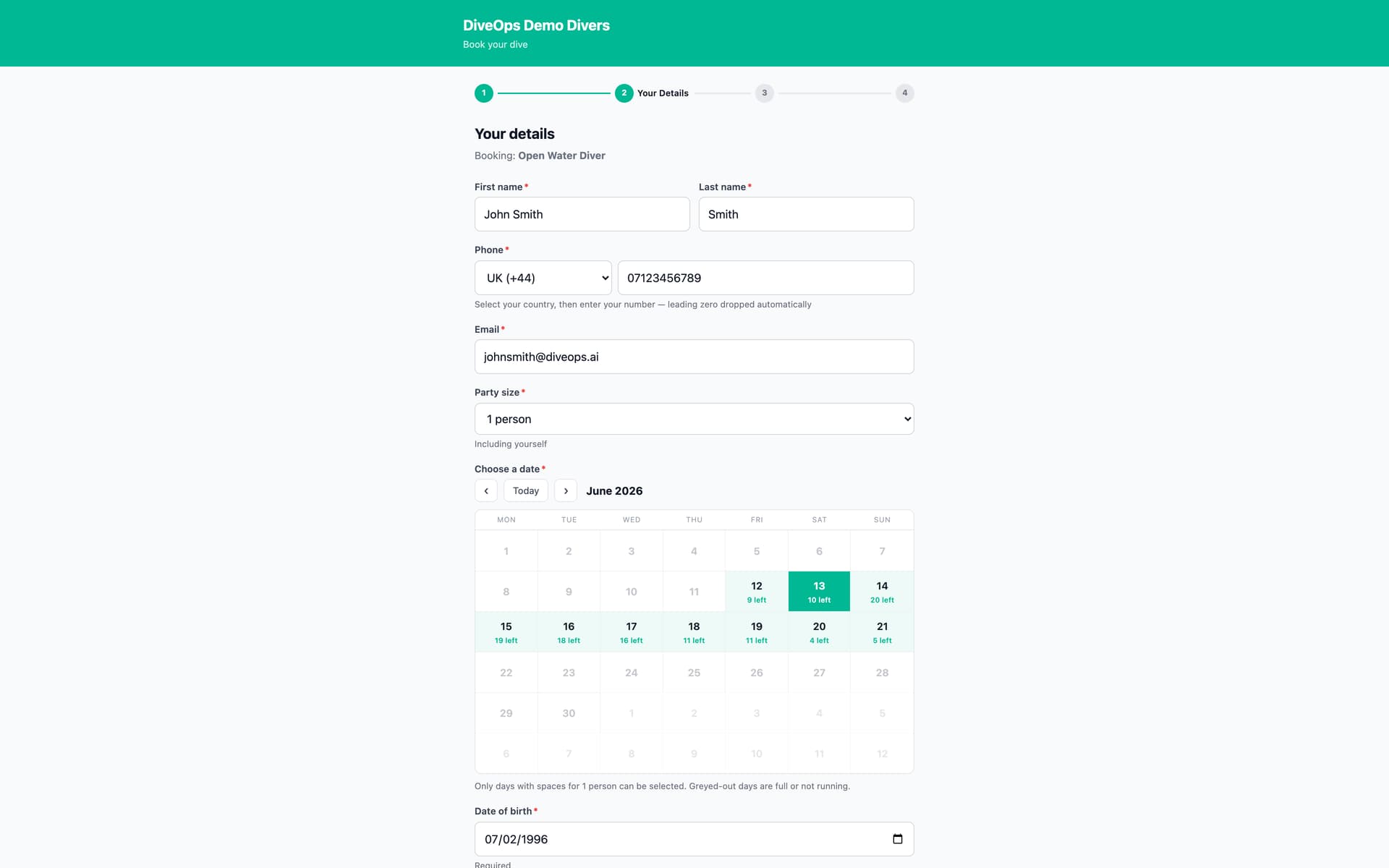
With DiveOps, divers fill in their medical form and personal details on their phone when they book, so there is no clipboard at check-in. Staff can send a details link to anyone who has not filled them in yet, and everything lands on the diver's profile and booking.
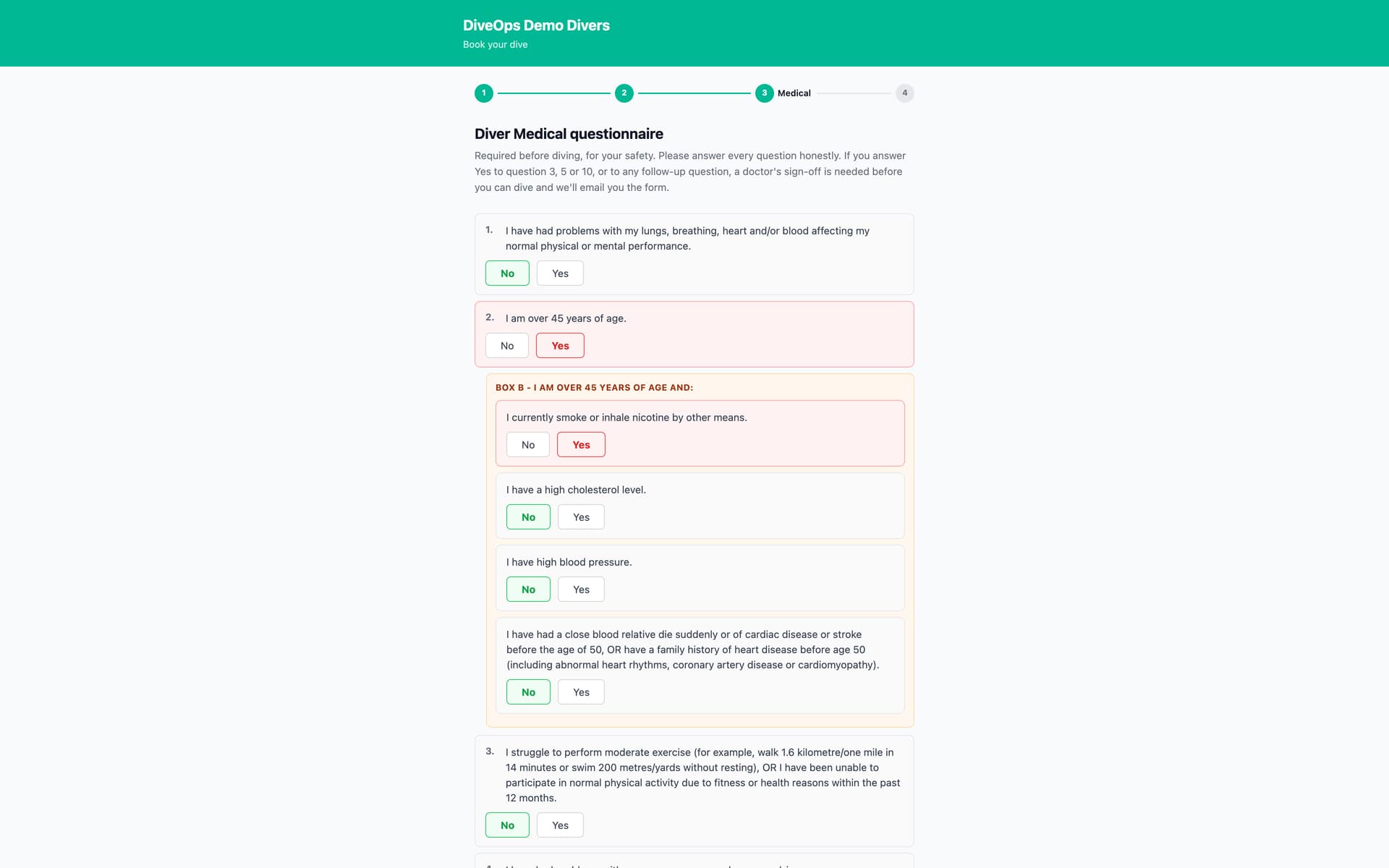
What do divers fill in?
Their details, such as date of birth and emergency contact, and the medical questions, as part of booking on your page. It takes a few minutes on a phone, at a time that suits them.
What if a diver booked another way?
Send them a details link from their booking. They open it on their phone, fill in what is missing, and it lands on their profile and booking straight away.
What does the shop see?
Every booking shows whether the medical and details are done. Divers who still need something are flagged, so check-in is a quick hello instead of twenty minutes of forms.
Questions, answered.
Can I choose which details I ask for?
Yes. Customer details settings decide which fields your divers are asked for.
Does the form work in other languages?
Divers fill it in on your booking page; the WhatsApp assistant answers their questions in their own language.
What if a diver needs a doctor's sign-off?
Upload the doctor's form or record the decision on the booking, and it counts for that booking.
See it run your dive centre.
A short live walkthrough on your real schedule. No slides, no sales patter.