
Tomorrow's boats, planned in minutes.
The short answer
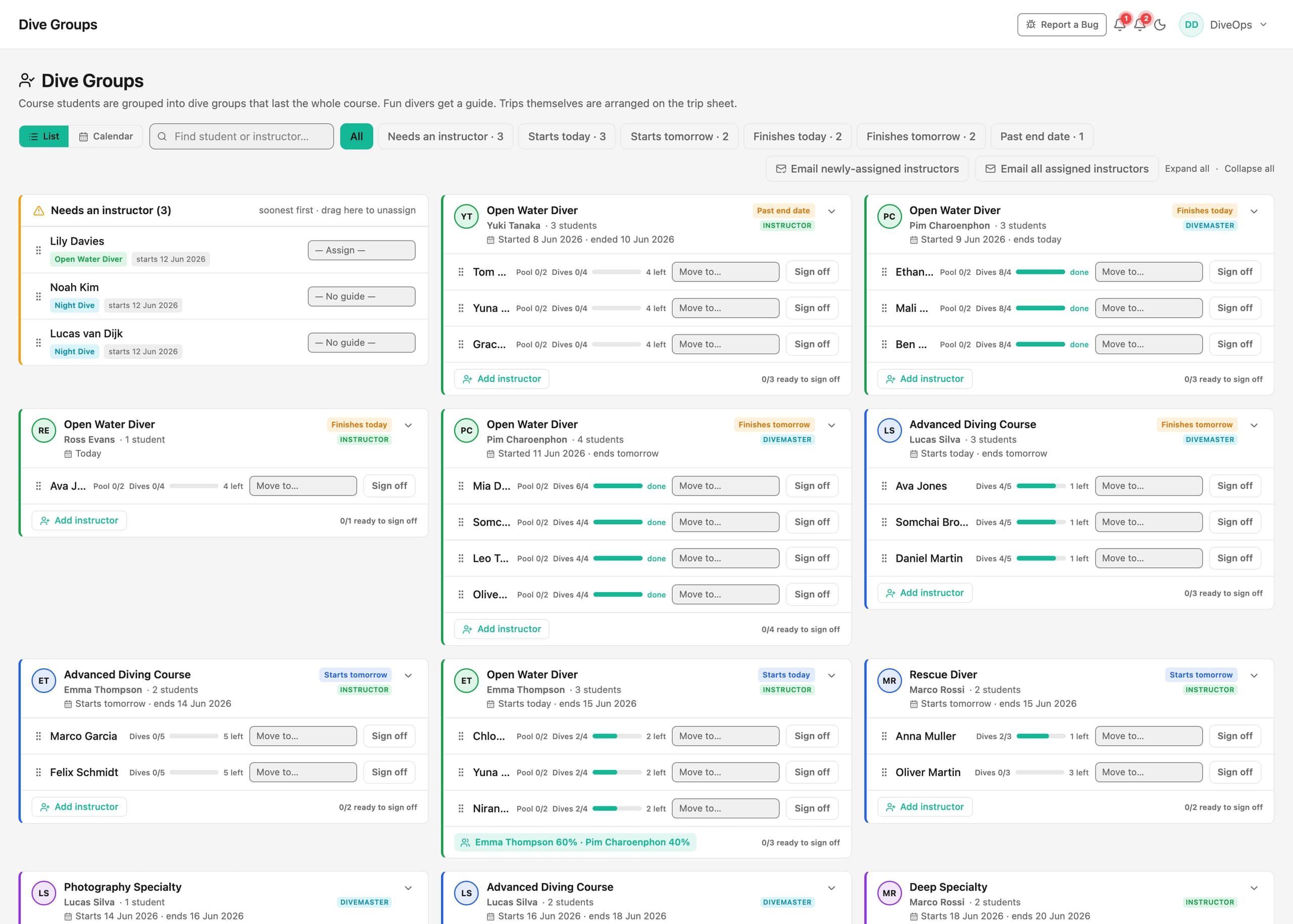
The DiveOps Planner shows every instructor with the students and groups they have, and every diver still waiting for one. Drag groups onto boats and the trip sheet works out spaces and kit sizes for the crew. The season schedule of dive sites is built once and feeds every screen.

How does the Planner work?
Each instructor is a column with the groups they are teaching and each student's progress. On the left, the divers who still need an instructor are listed by course and day, with a warning at the top for anyone overdue. Assign them with one click or drag them across.
Switch to Trips or Calendar to see the same plan by boat or by day.
What goes on the trip sheet?
The trip sheet loads each boat with its groups, instructors and divers, with the spaces left and every diver's kit sizes. Publish it once and the whole crew sees the same plan; print it for the boat if you like paper.
Do I have to plan dive sites every day?
No. Build the season once from reusable trip templates, with a weather fallback for each day. The planner, the trip sheet, the WhatsApp assistant and the display board in the shop all read from that one schedule.
Questions, answered.
Can instructors see the plan on their phone?
Yes. The Planner has a phone view, so instructors can check their groups from the boat or the pool.
Does it stop a boat being overbooked?
Yes. Each boat has its capacity and the trip sheet shows the spaces left as you load it.
Does it track course progress?
Yes. Each student's dives are tracked from pool session to sign-off, and a group that needs an instructor is flagged straight away.
See it run your dive centre.
A short live walkthrough on your real schedule. No slides, no sales patter.