
What is the best dive centre software for a small dive shop?
A dive shop of one to five people does not need enterprise software. It needs the enquiries answered while you are on the boat, the bookings in one place, and the money adding up at the end of the month. This guide sets out what a small shop actually needs, what it can safely skip, what switching really costs, and how to compare the options honestly.
The short answer
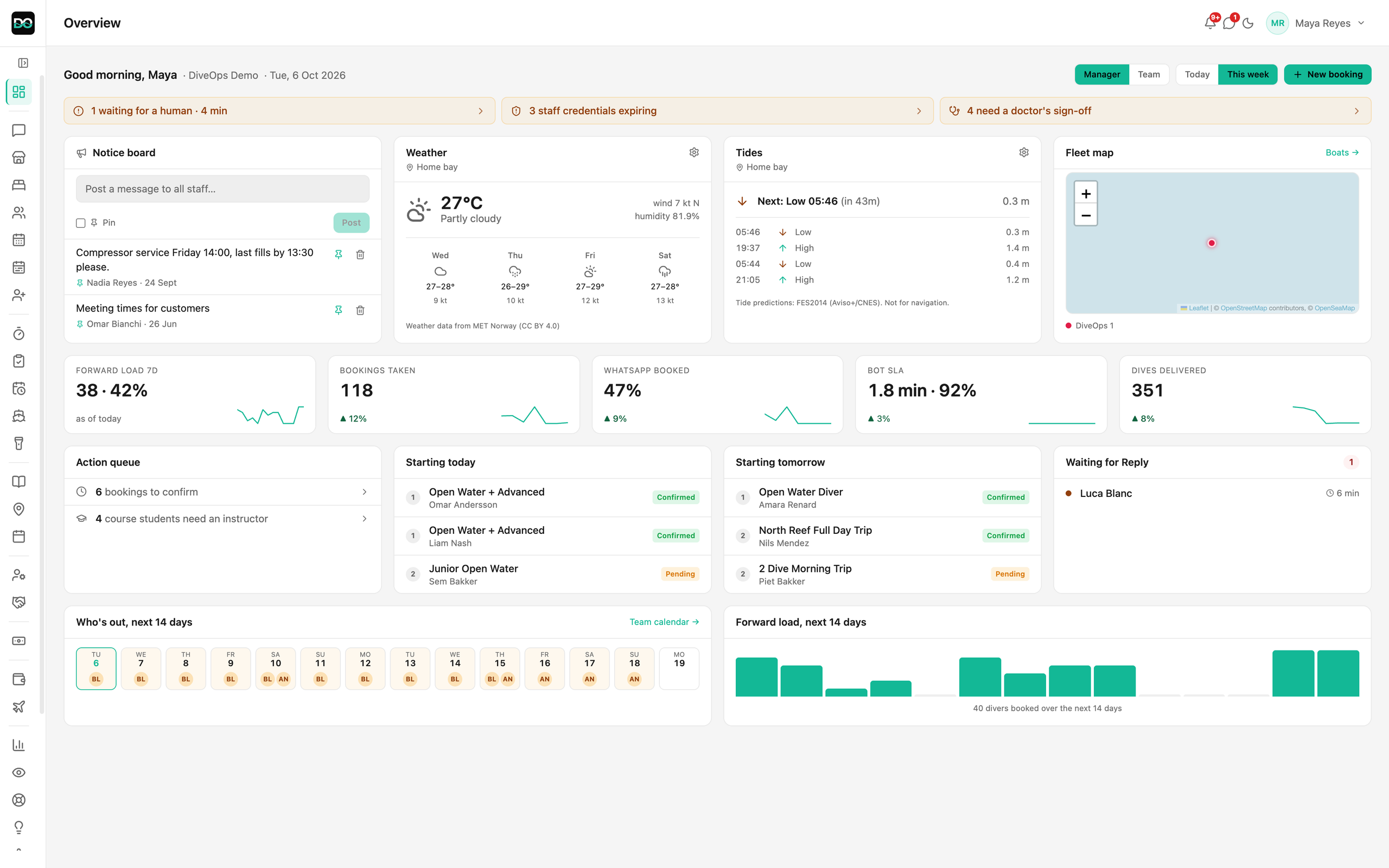
The best software for a small dive shop covers the jobs that eat your evenings, in one login: answering enquiries, taking bookings and deposits, planning the boat, selling and renting gear, and paying staff. Skip anything you would not use this season. DiveOps does all of it on one plan, set up with you.
 (opens full size in a new tab)
The short version
- A small shop needs five things: enquiries answered, bookings and deposits, the boat plan, a till for gear and rentals, and staff pay.
- Skip what you will not use this season; more modules are not better if nobody opens them.
- The real cost of switching is time: setup, moving your data and the first busy week, not just the monthly bill.
- Compare on your real day: a walk-in, a WhatsApp enquiry at night, tomorrow's boat and month-end pay.
- DiveOps is one plan with every feature, priced by the divers you take each year, and we set it up with you.
What does a small dive shop actually need from software?
A small dive shop needs software that removes the work you do after closing, not software that adds screens. In a one to five person shop the same person often answers WhatsApp, runs the till and leads the dive, so every job the software takes off them is time back on the water or at home.
Five jobs matter most, and they should share one set of records so nothing is typed twice.
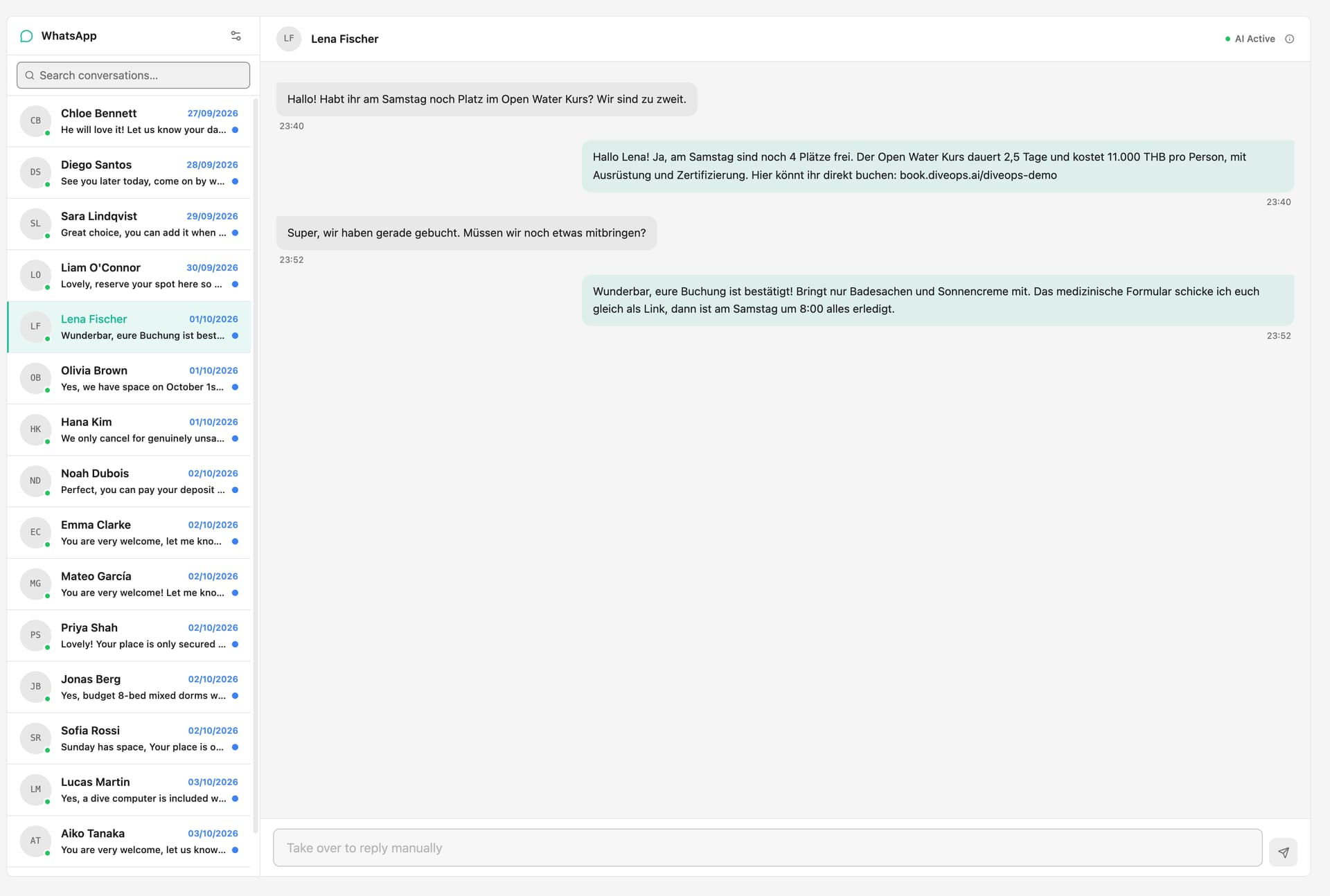
- Enquiries answered when you cannot pick up the phone, in the diver's language
- Online bookings with deposits, from your own website and a booking link
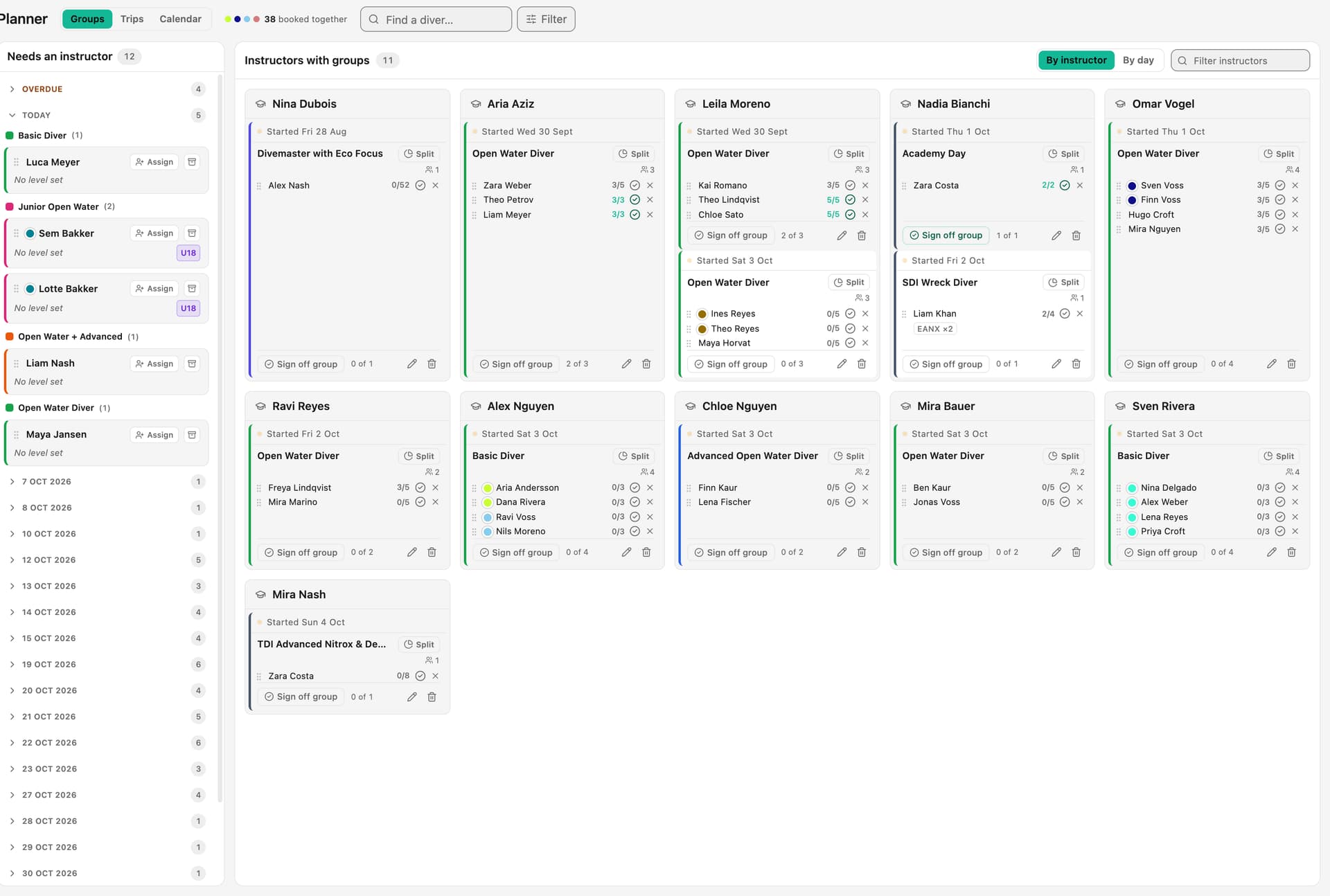
- Tomorrow's boat: who is diving, with which instructor, within the boat's capacity
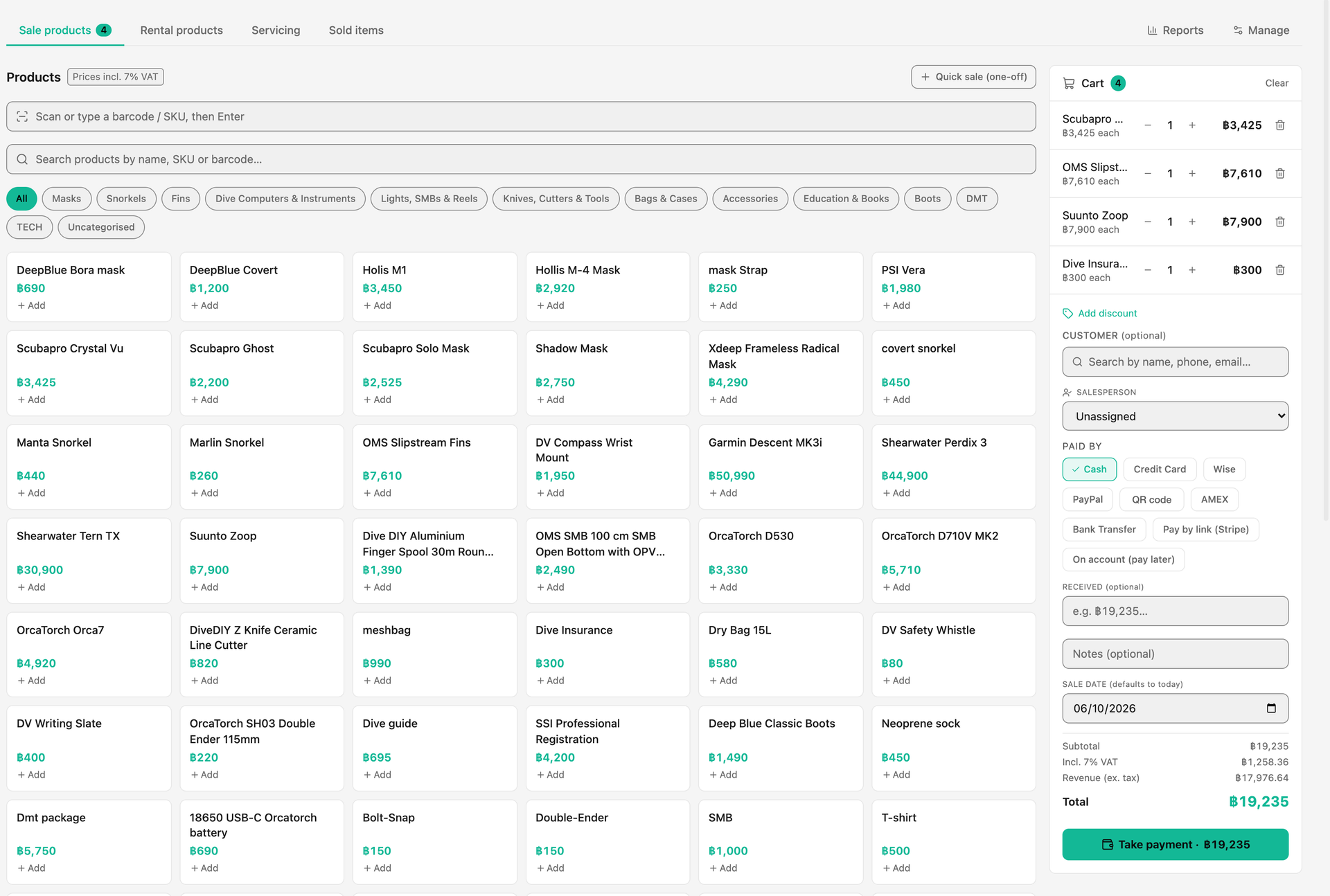
- A till for retail, rentals and servicing, with card and cash
- Staff pay, including commission, without a month-end spreadsheet
What can a small dive shop skip?
A small shop can skip anything it would not use this season. A long feature list looks good in a demo, but every unused module is another setting to manage and another thing to train staff on.
Be honest about your season. If you run shore dives only, you do not need boat tracking. If your website already takes bookings well, you do not need a new one. If you have no employees, payroll can wait. Good software lets you leave a feature off without paying more for the ones you use.
- Boat GPS tracking, if you dive from the shore
- A new website, if yours already works and can carry a booking page
- Multi-centre reporting, until you open a second site
- Accounting software sync, until your accountant asks for it
What does switching software really cost a small shop?
The real cost of switching is time, not the monthly fee. There is the setup, entering your courses, prices, boats and dive sites; the first busy week while the team learns where things are; and any change to how you take card payments.
You can shrink each of those. Ask the vendor who does the setup, and whether they will load your prices and courses for you. Switch in a quieter month if you can. Keep paper as a backup on the boat for the first week. And check you can take your data out again, as a file, at any time, so you are never stuck.
How should a small dive shop compare software?
Compare software on your own day, not on a feature grid. Ask each vendor to walk through four moments: a WhatsApp enquiry at 11pm, a walk-in buying a mask and renting a wetsuit, building tomorrow's boat, and paying an instructor at month-end. Watch how many screens each one takes and where anything has to be typed twice.
- How is it priced: per seat, per booking, or by the size of your centre?
- Who answers enquiries on your own WhatsApp number when you are diving?
- Is there a lock-in, and can you export your data as a file?
- Who sets it up, and how long until you are using it every day?
- Do card payments go to your own account, and what are the card fees? Card processors such as Stripe publish their rates, so you can compare with what you pay today.
How does DiveOps fit a small dive shop?
DiveOps covers the five jobs in one login. An AI assistant on your own WhatsApp number answers routine questions 24/7 in under 2 minutes, in the diver's language, and sends your booking link, so the shop is answering while you are underwater. Bookings, dive groups and the trip sheet share one record; the till handles retail, rentals and servicing; and payroll works out instructor commission from the trip sheet. Shops typically get about 8 hours a week of admin back.
It is one plan with every feature, priced by the divers you take each year, with no tiers and no per-seat charges, so adding a seasonal instructor does not change the bill. We set up your services, boats, dive sites and prices with you on a video call and do the technical setup. There is no lock-in, and you can export your data as CSV at any time.
When is DiveOps not the right fit?
DiveOps is not the right fit if all you want is a booking button on your website and you are happy running the rest by hand; a simple booking tool will cost less to learn. It is also built for centres that run dives and courses, so a shop that only sells retail gear will use a small part of it.
If you sit somewhere in between, a demo against your own week is the quickest way to tell.
Questions, answered.
Does a small dive shop need dive centre software at all?
Not always. A shop with one boat, a few bookings a day and nothing slipping can run on a spreadsheet. Software pays for itself when bookings are typed into several places, enquiries go unanswered while you dive, or month-end pay takes an evening.
What should a small dive shop look for first?
Enquiries answered when you are busy, bookings with deposits in one place, and a boat plan built from those bookings. A till and payroll matter next. Everything else can wait until you need it.
How is DiveOps priced for a small shop?
One plan with every feature, priced by the number of divers you take each year. There are no tiers and no per-seat charges. The figures are on the pricing page.
How long does it take to set up?
We set up your services, boats, dive sites and prices with you on a video call and do the technical setup. DiveOps can also read your current website and suggest your courses, sites and policies for you to review.
Can I leave if it does not work for us?
Yes. There is no lock-in, and you can export your data as CSV at any time, including after you leave.
See it run your dive centre.
A short live walkthrough on your real schedule. No slides, no sales patter.