
Know where every regulator is, and when it needs a service.
The short answer
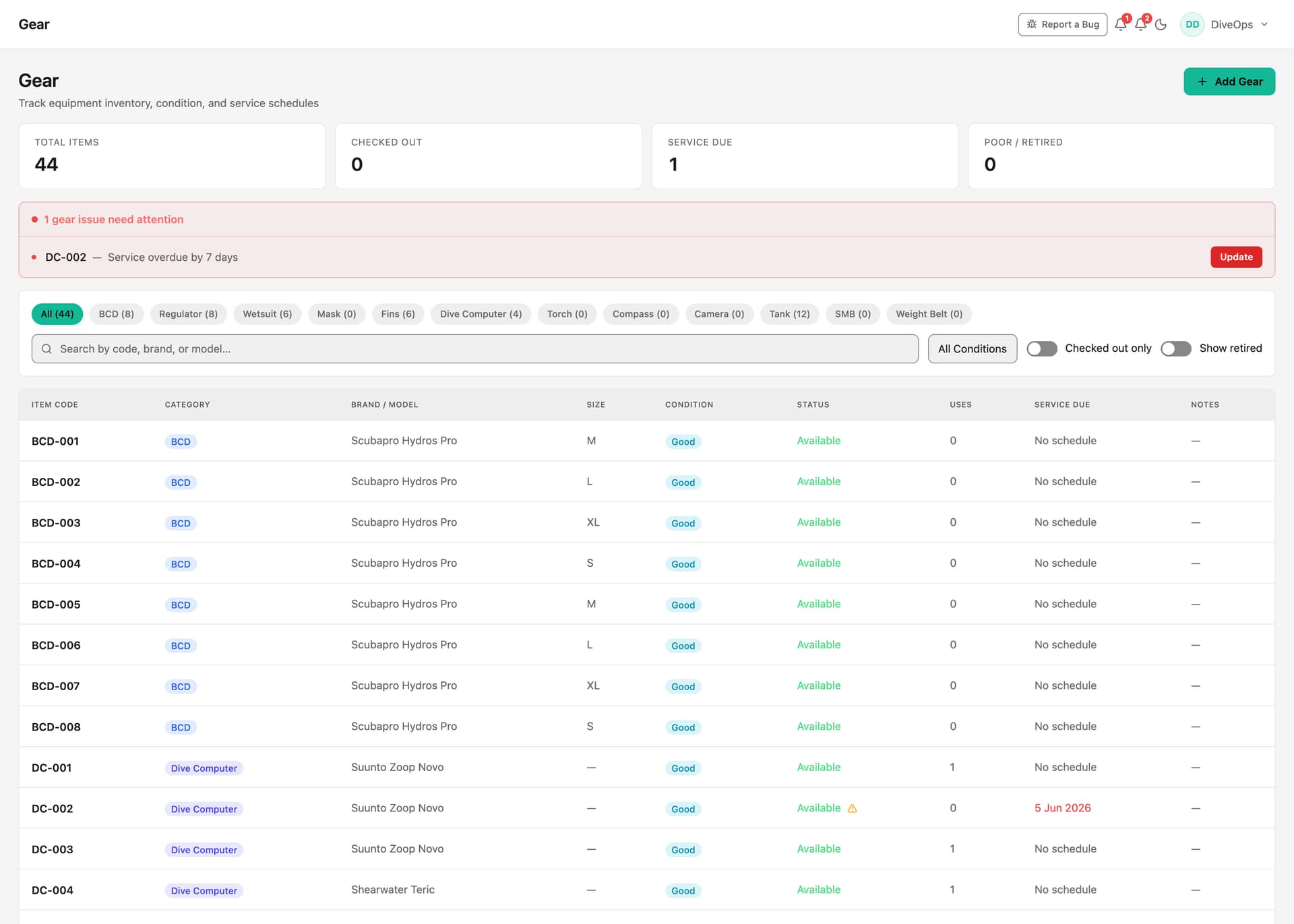
DiveOps keeps a register of every item of dive gear with its condition, who has it and its service history. Staff check kit out and back with a few taps, warnings appear before a service falls due, rentals go on a diver's booking, and regulator servicing can run as a paid job.
How do staff check gear out?
Gear check-out is a tap-based flow on a phone or tablet: pick the category, the item and who is taking it. DiveOps logs who took what and when, and the gear page shows what is still out.
How does servicing work?
Each item carries its service interval and history. Warnings appear before an item is due, on the gear page, in the menu and on the morning overview. Run a customer's regulator service as a paid job from check-in to collection, with the customer emailed when it is booked in and again when it is ready.
What about rentals?
Rental kit is added to a diver's booking, priced from your rental list and paid with everything else, on the same receipt.
Questions, answered.
Can I set my own gear categories?
Yes. Each centre manages its own categories, with item codes and its own order.
Does it track condition?
Yes. Each item moves from new to retired, and poor or retired items are counted on the gear page.
Can rentals be sold at the shop too?
Yes. Rental products are on the shop till alongside retail, so a walk-in can hire kit without a booking.
See it run your dive centre.
A short live walkthrough on your real schedule. No slides, no sales patter.